In brief, the grammar tells us that a graphic maps the data to the aesthetic attributes (colour, shape, size) of geometric objects (points, lines, bars)
Chapter 2 First steps
data
mpg data. It includes information about the fuel economy of popular car models in 1999 and 2008, collected by the US Environmental Protection Agency.
Code
library(ggplot2)mpg
# A tibble: 234 × 11
   manufacturer model      displ  year   cyl trans drv     cty   hwy fl    class
   <chr>        <chr>      <dbl> <int> <int> <chr> <chr> <int> <int> <chr> <chr>
 1 audi         a4           1.8  1999     4 auto… f        18    29 p     comp…
 2 audi         a4           1.8  1999     4 manu… f        21    29 p     comp…
 3 audi         a4           2    2008     4 manu… f        20    31 p     comp…
 4 audi         a4           2    2008     4 auto… f        21    30 p     comp…
 5 audi         a4           2.8  1999     6 auto… f        16    26 p     comp…
 6 audi         a4           2.8  1999     6 manu… f        18    26 p     comp…
 7 audi         a4           3.1  2008     6 auto… f        18    27 p     comp…
 8 audi         a4 quattro   1.8  1999     4 manu… 4        18    26 p     comp…
 9 audi         a4 quattro   1.8  1999     4 auto… 4        16    25 p     comp…
10 audi         a4 quattro   2    2008     4 manu… 4        20    28 p     comp…
# … with 224 more rows
cty and hwy record miles per gallon (mpg) for city and highway driving.
displ is the engine displacement in litres.
drv is the drivetrain: front wheel (f), rear wheel (r) or four wheel (4).
model is the model of car. There are 38 models, selected because they had a new edition every year between 1999 and 2008.
class is a categorical variable describing the “type” of car: two seater, SUV, compact, etc.
Key components
Code
ggplot(data=mpg, aes(x = displ, y = hwy)) +geom_point()
data
A set of aesthetic mappings between variables in the data and visual properties, and
At least one layer which describes how to render each observation. Layers are usually created with a geom function.
Colour, size, shape and other aesthetic attributes
# Remove the axis labels with NULLggplot(mpg, aes(cty, hwy)) +geom_point(alpha =1/3) +xlab(NULL) +ylab(NULL)
Output
Code
p <-ggplot(mpg, aes(displ, hwy, colour =factor(cyl))) +geom_point()p
summary plot info
Code
summary(p)
data: manufacturer, model, displ, year, cyl, trans, drv, cty, hwy, fl,
  class [234x11]
mapping:  x = ~displ, y = ~hwy, colour = ~factor(cyl)
faceting: <ggproto object: Class FacetNull, Facet, gg>
    compute_layout: function
    draw_back: function
    draw_front: function
    draw_labels: function
    draw_panels: function
    finish_data: function
    init_scales: function
    map_data: function
    params: list
    setup_data: function
    setup_params: function
    shrink: TRUE
    train_scales: function
    vars: function
    super:  <ggproto object: Class FacetNull, Facet, gg>
-----------------------------------
geom_point: na.rm = FALSE
stat_identity: na.rm = FALSE
position_identity
Save ggplot to png picture
Code
# Save png to diskggsave("plot.png", p, width =5, height =5)
Save ggplot rds and load it back
Code
saveRDS(p, "plot.rds")q <-readRDS("plot.rds")q
3 Individual geoms
Code
df <-data.frame(x =c(3, 1, 5), y =c(2, 4, 6), label =c("a","b","c"))p <-ggplot(df, aes(x, y, label = label)) +labs(x =NULL, y =NULL) +# Hide axis labeltheme(plot.title =element_text(size =12)) # Shrink plot title
Code
p +geom_point() +ggtitle("point")
Code
p +geom_text() +ggtitle("text")
Code
p +geom_bar(stat ="identity") +ggtitle("bar")
Code
p +geom_tile() +ggtitle("raster")
4 Collective geoms
5 Statistical summaries
6 Maps
7 Networks
8 Annotations
9 Arranging plots
Reference
[Book]ggplot2: Elegant Graphics for Data Analysis by Hadley Wickham https://ggplot2-book.org/index.html
Source Code
---title: "【Reading】ggplot2: Elegant Graphics for Data Analysis Part 1 C1-C9"author: "Tony Duan"date: "2022-10-23"categories: [Ploting]execute: warning: false error: falseformat: html: toc: true code-fold: show code-tools: true---https://ggplot2-book.org/index.html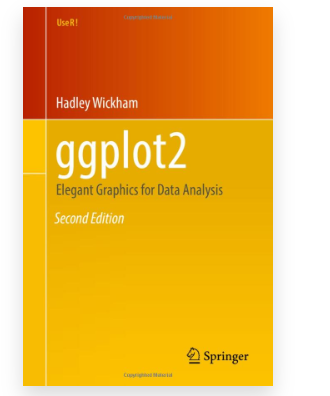## Chapter 1 Introduction**Grammar of graphics**In brief, the grammar tells us that a graphic maps the data to the aesthetic attributes (colour, shape, size) of geometric objects (points, lines, bars)## Chapter 2 First steps### data**mpg** data. It includes information about the fuel economy of popular car models in 1999 and 2008, collected by the US Environmental Protection Agency.```{r}library(ggplot2)mpg```1. **cty** and **hwy** record miles per gallon (mpg) for city and highway driving.2. **displ** is the engine displacement in litres.3. **drv** is the drivetrain: front wheel (f), rear wheel (r) or four wheel (4).4. **model** is the model of car. There are 38 models, selected because they had a new edition every year between 1999 and 2008.5. **class** is a categorical variable describing the "type" of car: two seater, SUV, compact, etc.### Key components```{r}ggplot(data=mpg, aes(x = displ, y = hwy)) +geom_point()```1. **data**2. A set of **aesthetic mappings** between variables in the data and visual properties, and3. At least one **layer** which describes how to render each observation. Layers are usually created with a geom function.### Colour, size, shape and other aesthetic attributes```{r}ggplot(mpg, aes(displ, hwy, colour = class)) +geom_point()```### Faceting```{r}ggplot(mpg, aes(displ, hwy)) +geom_point() +facet_wrap(~class)```### smooth line```{r}ggplot(data=mpg, aes(displ, hwy)) +geom_point() +geom_smooth()#> `geom_smooth()` using method = 'loess' and formula 'y ~ x'```### jitter```{r}ggplot(mpg, aes(drv, hwy)) +geom_jitter()```### boxplot```{r}ggplot(mpg, aes(drv, hwy)) +geom_boxplot()```### Histograms ```{r}ggplot(mpg, aes(hwy)) +geom_histogram()#> `stat_bin()` using `bins = 30`. Pick better value with `binwidth`.```### freqpoly ```{r}ggplot(mpg, aes(hwy)) +geom_freqpoly()#> `stat_bin()` using `bins = 30`. Pick better value with `binwidth`.```### Bar charts```{r}ggplot(mpg, aes(manufacturer)) +geom_bar()``````{r}drugs <-data.frame(drug =c("a", "b", "c"),effect =c(4.2, 9.7, 6.1))``````{r}ggplot(drugs, aes(drug, effect)) +geom_bar(stat ="identity")``````{r}ggplot(drugs, aes(drug, effect)) +geom_point()```### Time series with line and path plots```{r}ggplot(economics, aes(date, unemploy / pop)) +geom_line()``````{r}ggplot(economics, aes(date, uempmed)) +geom_line()``````{r}ggplot(economics, aes(unemploy / pop, uempmed)) +geom_path() +geom_point()``````{r}year <-function(x) as.POSIXlt(x)$year +1900ggplot(economics, aes(unemploy / pop, uempmed)) +geom_path(colour ="grey50") +geom_point(aes(colour =year(date)))```### Modifying the axes```{r}ggplot(mpg, aes(cty, hwy)) +geom_point(alpha =1/3)```**change x label and y label**```{r}ggplot(mpg, aes(cty, hwy)) +geom_point(alpha =1/3) +xlab("city driving (mpg)") +ylab("highway driving (mpg)")```**no x label and y label**```{r}# Remove the axis labels with NULLggplot(mpg, aes(cty, hwy)) +geom_point(alpha =1/3) +xlab(NULL) +ylab(NULL)```### Output```{r}p <-ggplot(mpg, aes(displ, hwy, colour =factor(cyl))) +geom_point()p```**summary plot info**```{r}summary(p)```**Save ggplot to png picture**```{r}# Save png to diskggsave("plot.png", p, width =5, height =5)```**Save ggplot rds and load it back**```{r}saveRDS(p, "plot.rds")q <-readRDS("plot.rds")q```## 3 Individual geoms```{r}df <-data.frame(x =c(3, 1, 5), y =c(2, 4, 6), label =c("a","b","c"))p <-ggplot(df, aes(x, y, label = label)) +labs(x =NULL, y =NULL) +# Hide axis labeltheme(plot.title =element_text(size =12)) # Shrink plot title``````{r}p +geom_point() +ggtitle("point")``````{r}p +geom_text() +ggtitle("text")``````{r}p +geom_bar(stat ="identity") +ggtitle("bar")``````{r}p +geom_tile() +ggtitle("raster")```## 4 Collective geoms## 5 Statistical summaries## 6 Maps## 7 Networks## 8 Annotations## 9 Arranging plots## Reference\[Book\]ggplot2: Elegant Graphics for Data Analysis by Hadley Wickham https://ggplot2-book.org/index.html



